early beta test is open now

Free, local-first,
automatic
work tracker

No account or email needed

Sees only the name of the window you are in.

Does not record keystrokes, the clipboard, screen contents, or your files.

No account, no sign up, no annoying emails.

Turn off window name capture for any app.

All collected data is one file on your disk.

Free forever, there's no paid version.

Stop filling in your calendar

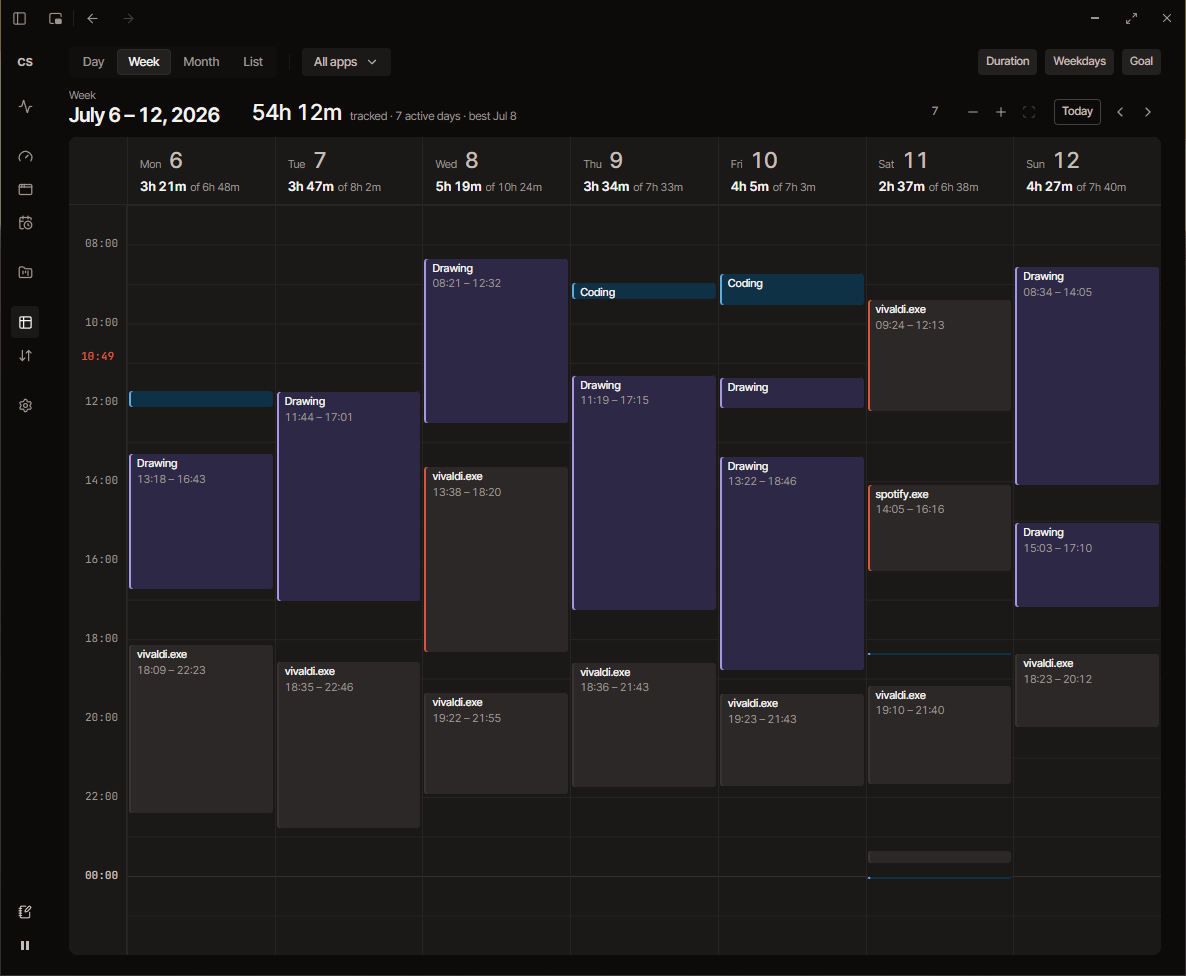
CraftSpan already has a calendar view that shows what, when and for how long you’ve done on your PC!

Throw away the timer

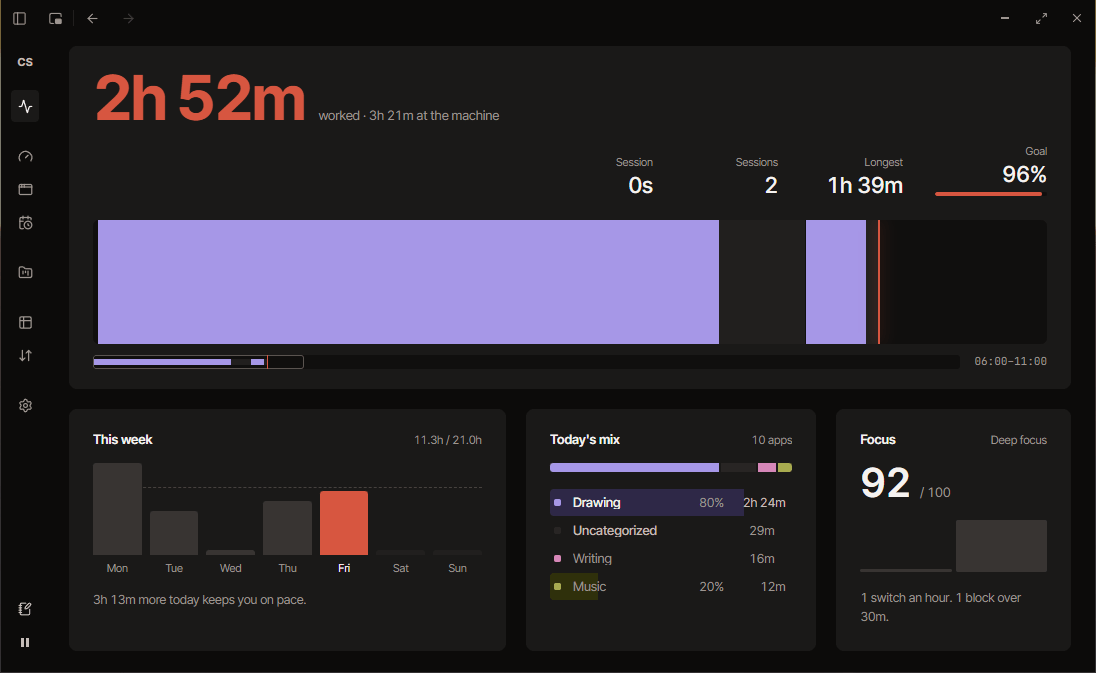
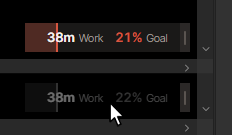
No need to start or stop one manually, the widget sits in the corner of your screen and counts automatically! It gets out of the way when you need to click on something under it.

There is much more!

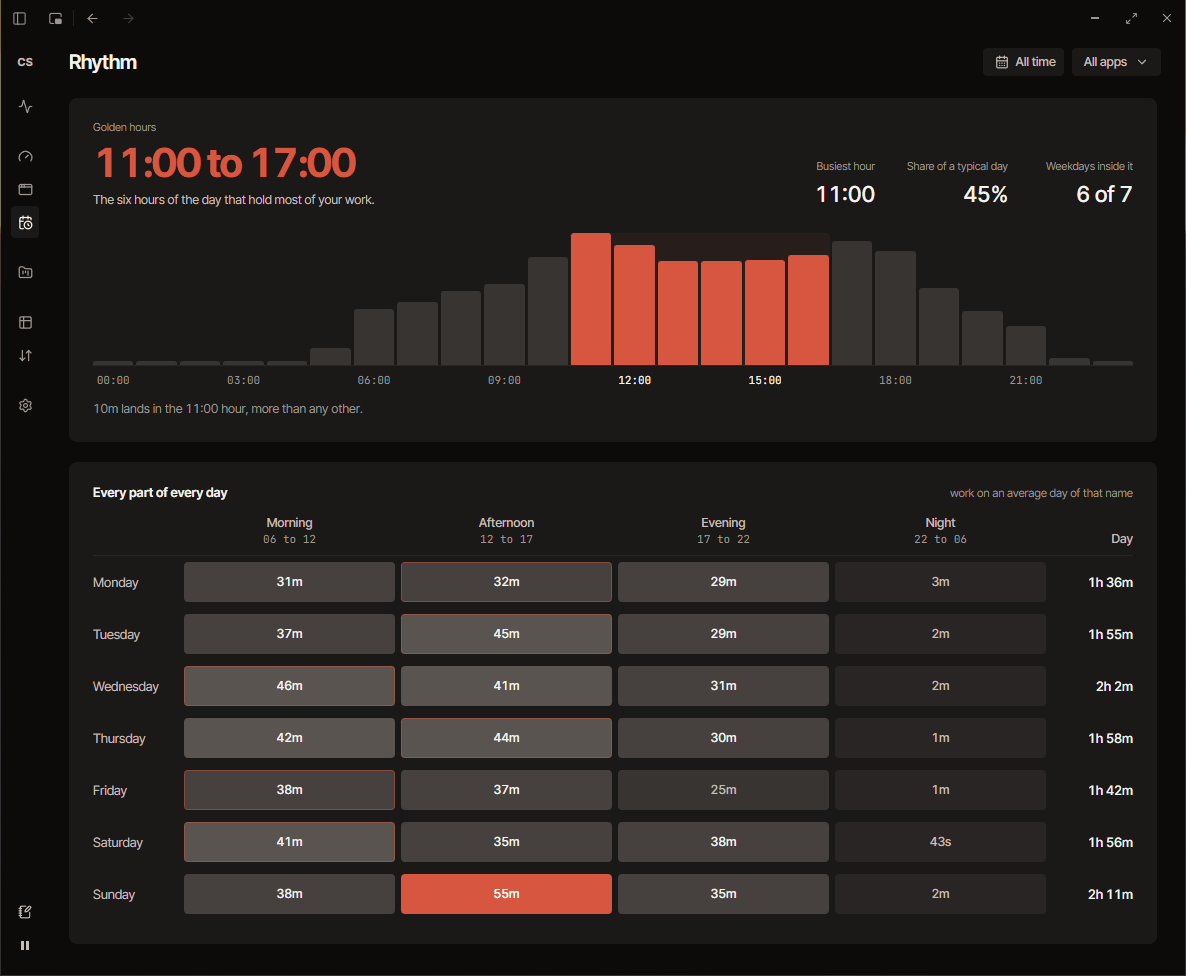
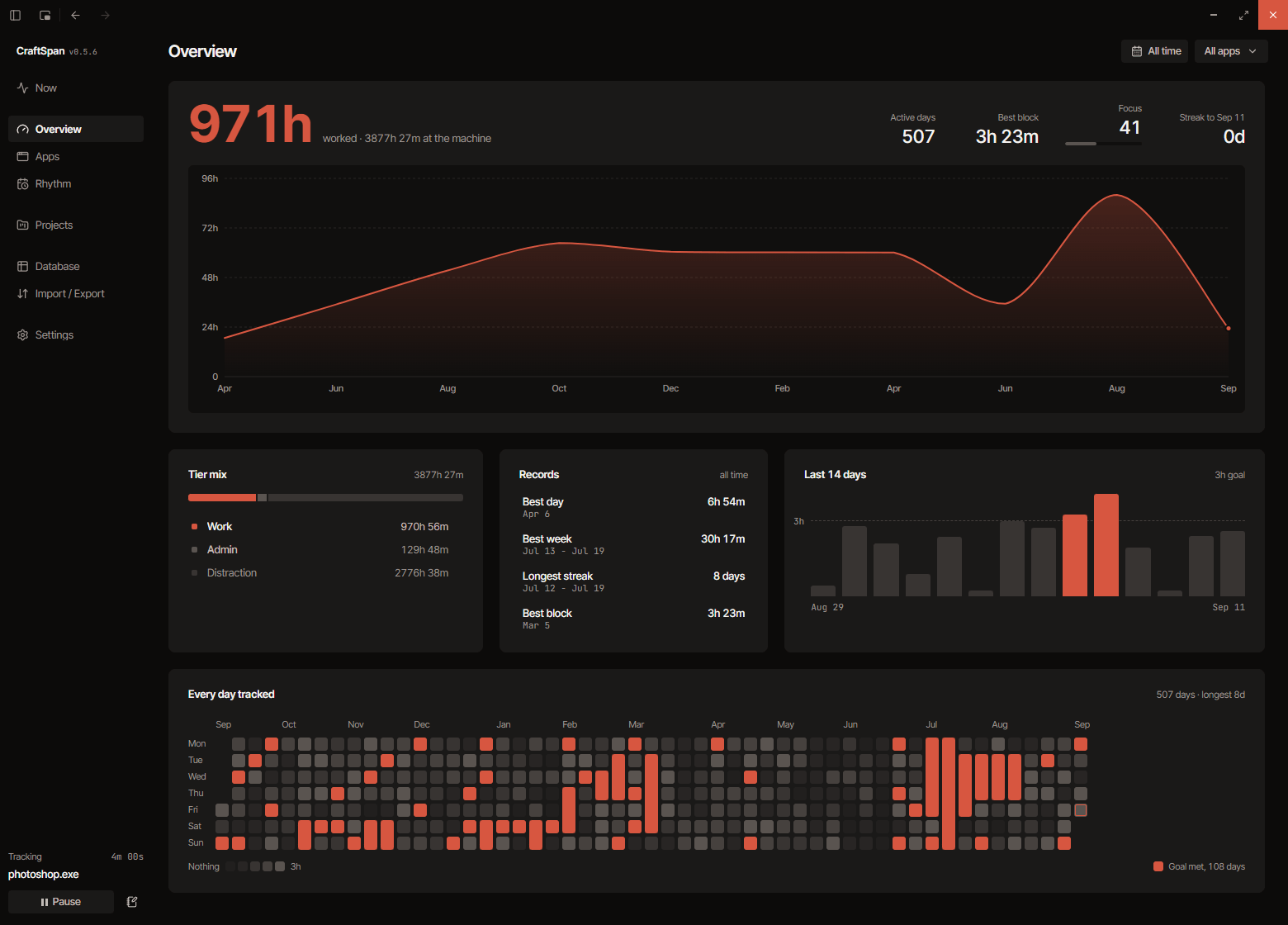
Your best work hours

It analyzes your work patterns and shows you when you focus best.

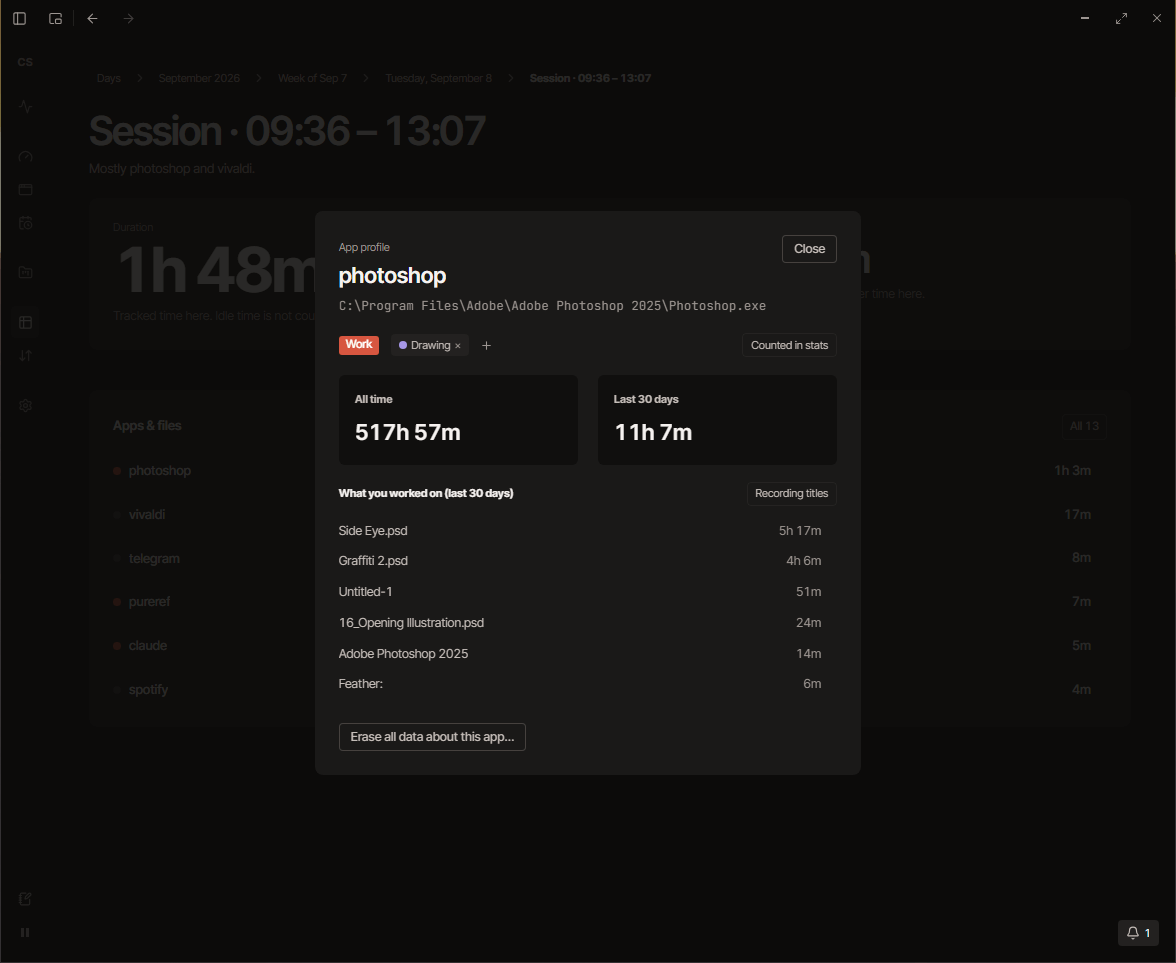
Detailed app profiles

Find out how much you use each one of your apps and for which projects.

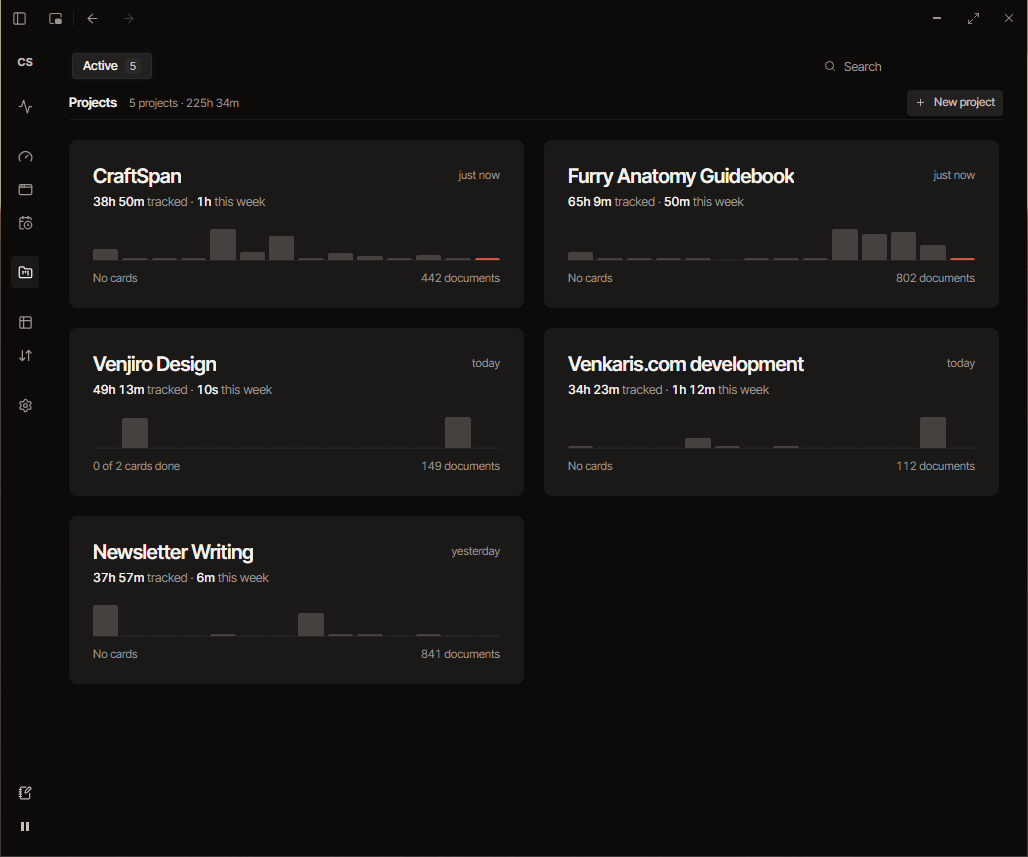
Project management

Create projects that automatically track how much time you spend on them.

Download now

Default installer

6 MB

Works on almost any windows PC.

Offline installer

228 MB

Pick this one if you had problems with the default installer. It bundles everything needed for the app to run.

You will see this

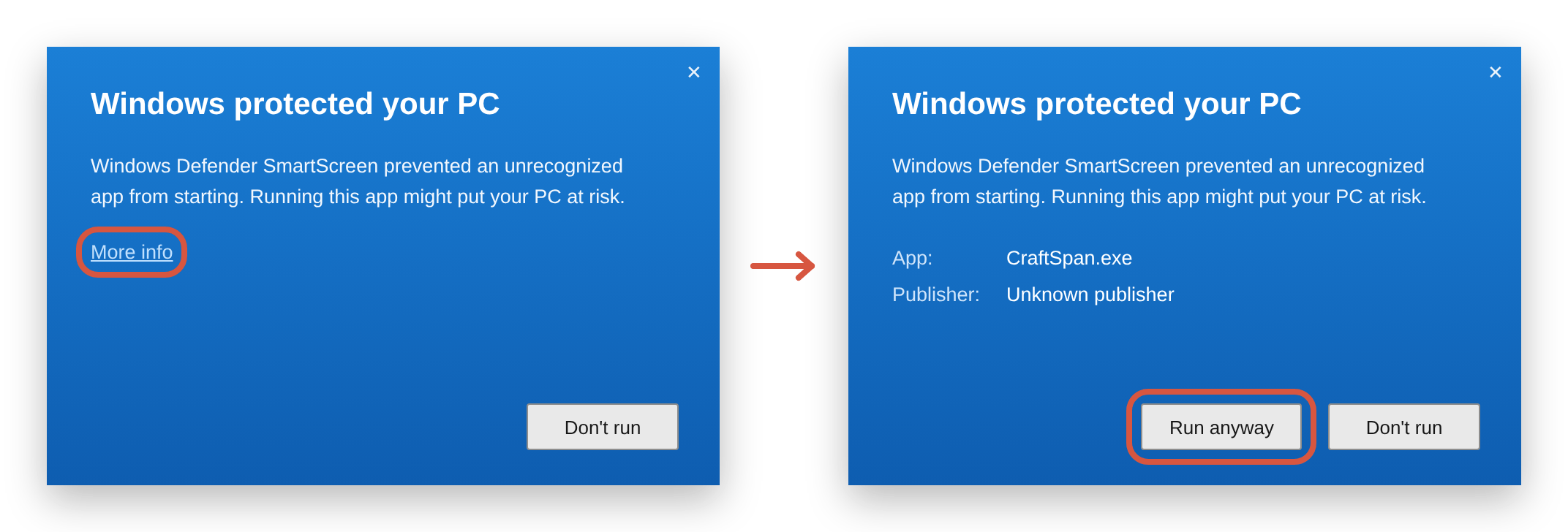
When you run the installer, it will say “Windows protected your PC” with only a “Don’t run” button. Click “More info”, then “Run anyway”. You can read about why it happens here.

Common questions

  • Yes! If you are not comfortable installing software built with AI, please do not download it.

  • No. When you run the installer, it says "Windows protected your PC" with only a Don't run button. Click More info, then Run anyway.

    Windows shows this because the installer isn't code-signed, and signing costs money. It'll go away after CraftSpan goes open source at v1, since that qualifies for free signing. The warning means "I have not seen this file before", not "this file is bad", but you only have my word for that.

  • Yes, expect bugs. Things will be broken, especially if you use it in a way I didn't think of. That is the point of the beta, and bug reports are welcome!

  • Tell me what happened, a screenshot (if possible), and paste the diagnostics report: Import / Export › Diagnostics › Copy the report.

    That report is anonymized and doesn't contain any window titles. It is safe to paste in public.

    Please email it to [email protected].

  • Which program you're currently clicked into, when, for how long, and its window title.

    It does not record keystrokes, the clipboard, screen contents, or your files.

    You can turn off title capture for any app, completely exclude it from tracking, delete all its data, or write a rule that never stores a title matching a word in Settings › Privacy.

  • In AppData\Roaming\CraftSpan. It contains the database (craftspan.db) which has all the tracking data and saved preferences. You can also find your backups and debug logs there.

    You can export any date range for your spreadsheet in CSV format, or a full JSON file that restores everything on a fresh install.

  • It is completely free for any kind of use! (And going to be open source on v1 release)

    The catch is that it is a hobby project made by one person, it is in beta, it is unsigned, and it comes with no warranty.

  • The app takes around ~35mb of RAM while running in the background. So it shouldn't, but that depends on your system specs.

  • No. There is no account functionality.

    The only network call CraftSpan makes is checking for updates and downloading an update. This is done manually by default, but you can turn on automatic update checking in Settings > Startup.

  • Not planned for now. CraftSpan is Windows-only, because the tracking is built directly on Windows APIs.

  • You can import your ActivityWatch or ManicTime history in Import / Export › Import.... It imports on a separate track, so the data you already have doesn't conflict.

  • Uninstall it from Settings › Apps like anything else. Check the Delete the application data to also remove the CraftSpan database and all saved preferences. If you don't check that, the next time you install CraftSpan all your tracking data and preferences will be restored.